
Audio editing
AudioBento
Free online audio tools to convert, edit, enhance, compress, record, and analyze audio
Browser-based audio editing and conversion tools that process files locally without requiring an account or upload.
About the work
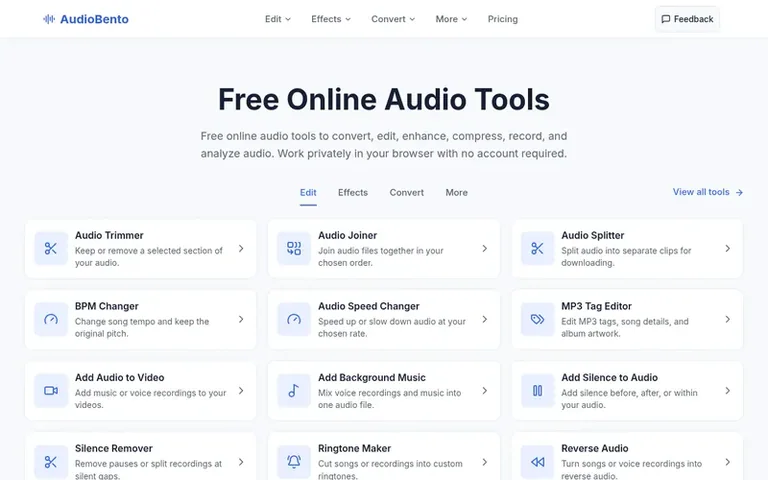
AudioBento: the homepage
AudioBento offers free browser-based audio tools for converting, editing, and analyzing sound files. All tools run locally on your device using browser capabilities and FFmpeg WebAssembly, with no file upload required. The platform supports conversion to MP3, WAV, FLAC, M4A, OGG, and AAC formats, audio editing like trimming and joining, effects such as EQ and pitch adjustment, compression, and analysis features including BPM and key detection. Users can record audio with their microphone, process files without creating an account, and download results without watermarks. There are no daily usage limits, though file size and duration depend on device memory and browser capabilities.
On display
- Convert to MP3, WAV, FLAC, M4A, OGG, and AAC formats
- Trim, join, and split audio clips
- Adjust pitch, speed, and volume
- Apply EQ, bass boost, and reverb effects
- Noise reduction and reverb removal
- Audio compression and bitrate adjustment
- Voice recording with microphone
- BPM and musical key detection
- Audio quality and spectrum analysis
- Video to audio extraction
Pricing
Pricing model: Free
Compare and explore
Follow AudioBento and hear about their milestones, new launches and demo videos by email. Stop any time.
AudioBento: wall label
- Medium
- Audio editing
AudioBento: metrics
Not yet hung. Domain Rating from Ahrefs and the Majestic link data of audiobento.com go up after the first check.
Before you launch
See the playbook for a plain launch checklist and the launch directories worth adding your product to.
Visitors ask
- Are audio files uploaded to a server?
- No. The current browser-based audio tools process selected files locally. The audio engine may download code when first used, but your recordings are not uploaded to a conversion service.
- Do I need an account to use the audio tools?
- No. You can open and use the current local audio tools without an account, a credit card, or a checkout step.
- Which audio formats are supported?
- Audio Converter offers MP3, WAV, FLAC, M4A, OGG Vorbis, and AAC output. Available inputs and export options vary by tool.
- Can I work with multiple audio files?
- Yes, for tools that support batches, such as Audio Converter and Audio Joiner. Other tools may accept one file at a time.
- Are there limits on file size or duration?
- Yes. Limits depend on the tool and device, and browser memory may further restrict processing. Check the upload area of the chosen tool before working with a large file.
Leave a review for AudioBento
No one has reviewed AudioBento for the gallery yet. Be first. Every review is free. None are bought.
AudioBento has a free listing. The owner can unlock the full profile with a paid launch for $5:
- Founder story (locked)
- Milestones (locked)
- Demo video (locked)
- Dofollow website link: not on this free listing (its website link is nofollow)